Bookings stay connected
Services, clients, statuses, calendar, and timeline all read from the same records.
Create your workspace
Open SchedMate and organise leads, bookings, clients, invoices, payments, and automation from the first day. Seven days of full access, with no card and no automatic charge.
By continuing you agree to the Terms and acknowledge the Privacy Policy.
Use an email address and password, or continue with Google.
Add your business name and timezone so bookings land at the right hour.
SchedMate opens on the next useful step rather than an empty screen.
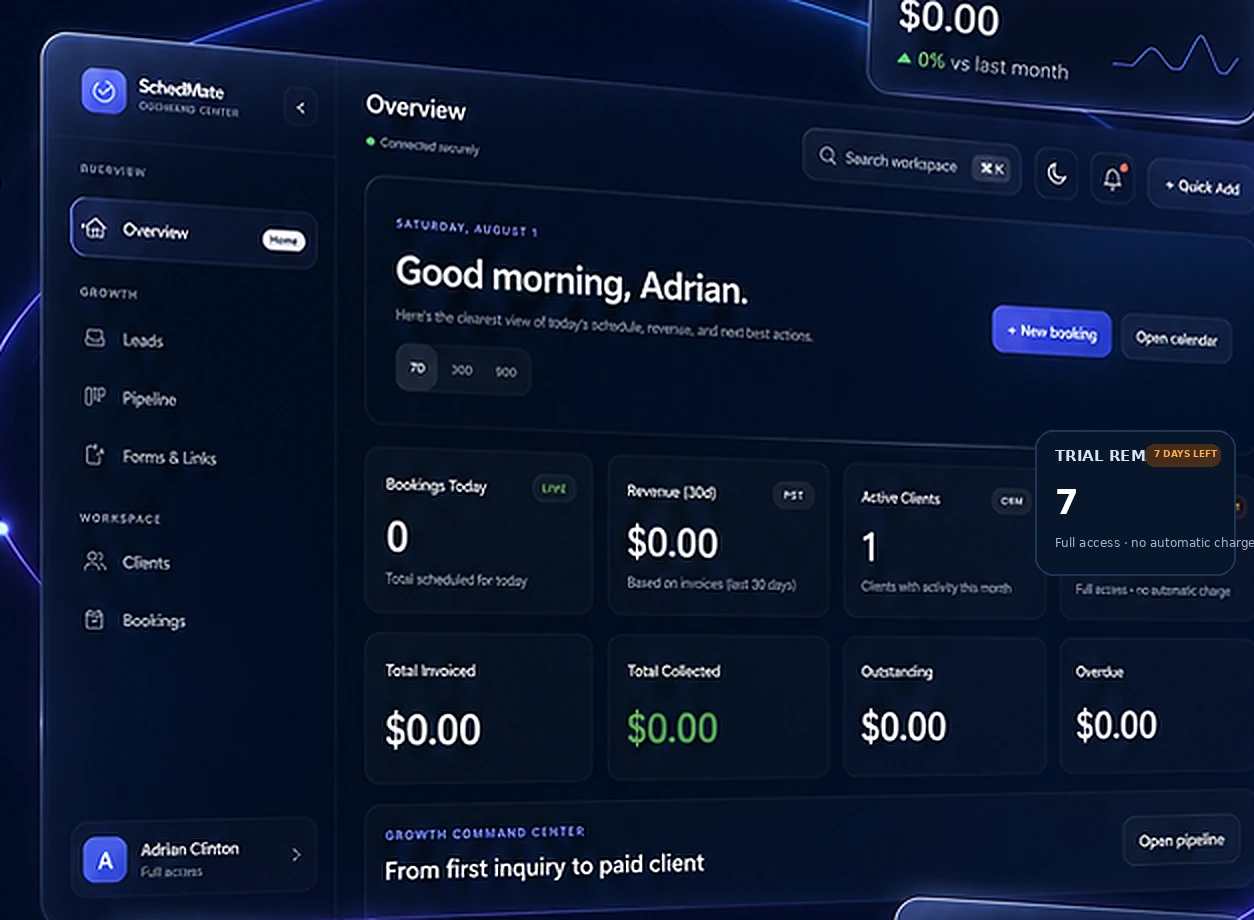
This is the workspace you open on day one — the same screen, with your own business in it.
Services, clients, statuses, calendar, and timeline all read from the same records.
Invoices, payments, outstanding balances, and reports stay in context, not in a separate sheet.
Public forms, email notifications, and webhooks work with the tools you already use.
Before you sign up
No. Add one service and take one booking, and the workspace is already doing something. The built-in guide opens on the next useful step rather than an empty screen.
There is no card on file and no automatic charge at the end of the seven days. You can export your data, or delete the workspace, whenever you decide.
Yes. Team & Access has four preset roles — Owner, Manager, Front Desk, and Service Provider — and billing and workspace ownership are never handed over by an invitation.
Your trial gives you full workspace access for seven days, with no automatic charge at the end of it.